

Visual Studio
Using IDAutomation Barcode Components in Visual Studio
Add barcodes to Windows Forms, WPF, MAUI and web projects with C# or VB.NET.
From download to barcode
Complete source code and Visual Studio project examples are included in all downloads of the generator. Open one to see how the product works.
- Reference the supplied DLL or compile the source file into your project
- Examples were built with Visual Studio 2019 and open in later versions
- A Windows example application is provided with a prebuilt executable in its bin folder
- MAUI example projects are provided in the purchased QR Code and Data Matrix
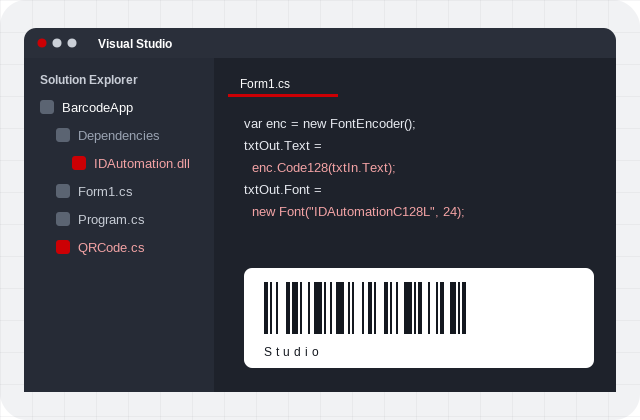
Six steps in Visual Studio
- Download and extractDownload the demo or licensed package and extract it.
- Open an exampleOpen one of the included Visual Studio example projects, in C# or VB.NET, to see how the product works.
- Add it to your projectAdd a reference in your .NET project to the DLL, or add the supplied source file with Add Existing Item.
- Choose outputSelect font text, vector (SVG, EPS or HTML) or bitmap output for the symbol.
- Install the font if neededFor font output, install the barcode font and set the control font. The generator itself does not need a font.
- Test with a decoderScan or decode the result to verify lower ASCII, GS1 data and UTF-8 encoding.
Tutorials and modules
Visual Basic .NET tutorialBarcode integration with Visual Basic .NET.Learn more →Visual C# tutorialBarcode integration with Visual C#.Learn more →VB.NET moduleA Visual Basic .NET module for barcode fonts.Learn more →C# class fileA C# class file for barcode fonts.Learn more →Barcode fontsFonts for every common symbology.Learn more →Reporting ServicesSQL Server Reporting Services font encoder.Learn more →
Choose the approach for your project type
| Project type | Approach |
|---|---|
| Windows Forms and WPF | Generate a bitmap byte array and show it in a picture box, or set a font on a label. |
| ASP.NET Core and IIS | Use the streaming component or generate images in your own controllers. |
| MAUI and Xamarin | Use .NET Standard 2.0 source or the assembly in a shared project; place the IDAutomation 2D font in each platform’s Assets folder for font output. |
| Azure Serverless Functions | A separate guide covers Azure Functions integration. |
Open the example in Visual Studio
Download the demo and start with the included projects.